Licence and activation
Genuine Silver or Gold licence supplied and activated against your business, with the serial recorded so you are never locked out of your own software.

Authorised Tally Gold Partner
The installer is free and comes from Tally Solutions. What decides whether it is useful to your business is the licence behind it and how it is set up for Oman VAT — that part is what we do.
Download TallyPrime from tallysolutions.com, Tally's own site. That is the only copy we would ever recommend installing. Versions circulating on file-sharing sites and messaging groups are routinely modified, and this is software that will hold every invoice, ledger and balance your business has.
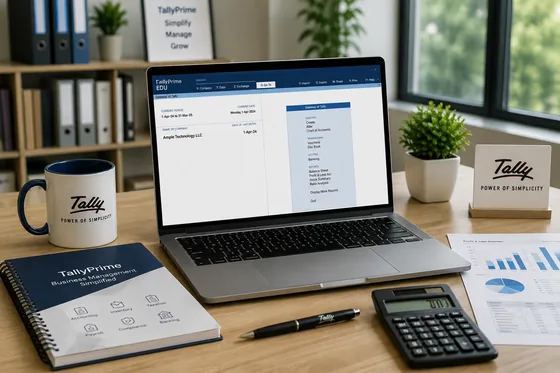
The download costs nothing. Without a licence it opens in educational mode, which is genuinely useful for learning the screens and training staff, but is restricted for real record keeping and is not licensed to run a business on.
Free download, paid licence. These are two different things and the distinction catches people out. The installer is free forever. The licence — Silver at OMR 245 or Gold at OMR 730, one-time and perpetual — is what makes it legal and functional for your own accounts.
There is only one installer, so you are not choosing a download. You are choosing a licence, and there are three questions that settle it.
A TallyPrime install takes a few minutes. Getting the reports to be right from the first month is a different exercise, and it is where most of the value sits.
Genuine Silver or Gold licence supplied and activated against your business, with the serial recorded so you are never locked out of your own software.
Tax rates, registration number, invoice particulars and return-ready reporting set up for Omani requirements rather than left on defaults.
Ledgers, groups, stock items and customer records structured so your reports mean something instead of needing a spreadsheet afterwards.
Existing books brought across from Tally.ERP 9, another package or spreadsheets, with the opening figures reconciled before you go live.
Network setup for Gold licences, user permissions, and a backup routine that is actually verified rather than assumed.
Role by role, on your own company data, in English, Arabic, Hindi or Malayalam.
Licences do turn up cheaply online. What does not come with them is anyone to call when the network stops seeing the Gold licence at month end, when a VAT return will not reconcile, or when a data file needs recovering after a power cut.
We are an authorised Tally Gold Partner and Tally Integrator and have been supporting Omani businesses since 2010. Buying the licence here means the people who sold it are the people who configure it, and the people who answer when something breaks.
Tell us how many users you need and whether you are coming from Tally.ERP 9 or starting fresh. We will quote the licence and the setup together.
From Tally Solutions directly, at tallysolutions.com. Always take the installer from Tally's own site rather than a file-sharing link or a third-party mirror — copies circulating elsewhere are frequently modified, and you are installing software that will hold your entire accounting history. The download itself is free; what you buy is the licence that unlocks it for business use.
Yes, the installer is free, and it runs in educational mode without a licence. Educational mode lets you explore every screen and practise, but it restricts what you can do with real records — dates are limited and it is not licensed for running an actual business. To use it for your own accounts you need a TallyPrime Silver or Gold licence.
Silver is OMR 245 for a single user and Gold is OMR 730 for unlimited users on one local network, both international licences and excluding VAT. It is a one-time perpetual purchase — the licence does not expire. Full detail is on our TallyPrime price page.
The installer is the same for both — the edition is decided by the licence you activate, not by a different download. Silver is single user: one person in Tally at a time. Gold is unlimited users across one local network. If two people will ever need Tally open at once, Gold is the one, and Silver can be upgraded to Gold later without reinstalling.
TallyPrime licences are sold as Indian or international editions, and the international edition is the one configured for Oman VAT. A licence bought for the Indian market will not give you the right tax behaviour here. If you are unsure which one you hold, send us the serial number and we will tell you what it is before you install anything.
Do not install over a working Tally.ERP 9 setup without taking a backup first. TallyPrime installs alongside it and migrates your company data, but the migration is one-way and any TDL customisation you run needs checking against the new release. We do this migration routinely — see migrating from Tally.ERP 9.
To download and install, no. To keep receiving new releases, yes — TSS is the annual subscription that delivers product updates, and statutory features such as e-invoicing support arrive through those updates. A lapsed TSS is the usual reason a business finds itself doing an emergency upgrade under a compliance deadline.
Yes, and for most businesses that is the part worth paying for. Installing TallyPrime takes minutes; setting up your chart of accounts, VAT, stock items, invoice formats, users and backups so the reports are right from day one is the actual work. We do it on site in Muscat or remotely across the Sultanate.
TallyPrime is a Windows desktop application and is light compared with most accounting software — ordinary office machines run it comfortably. What catches people out is the multi-user setup: Gold across a network needs the data on a machine that stays on and is backed up. Tell us how many users and branches and we will tell you what you need before you spend anything on hardware.
Not for data entry — TallyPrime is a desktop application. For owners who want figures on a phone there is browser and mobile report access, and if you want Tally itself reachable from anywhere, Tally on Cloud is the route.